

Free 3dsMax script released – Proxy Display Manager | ArchvizTools
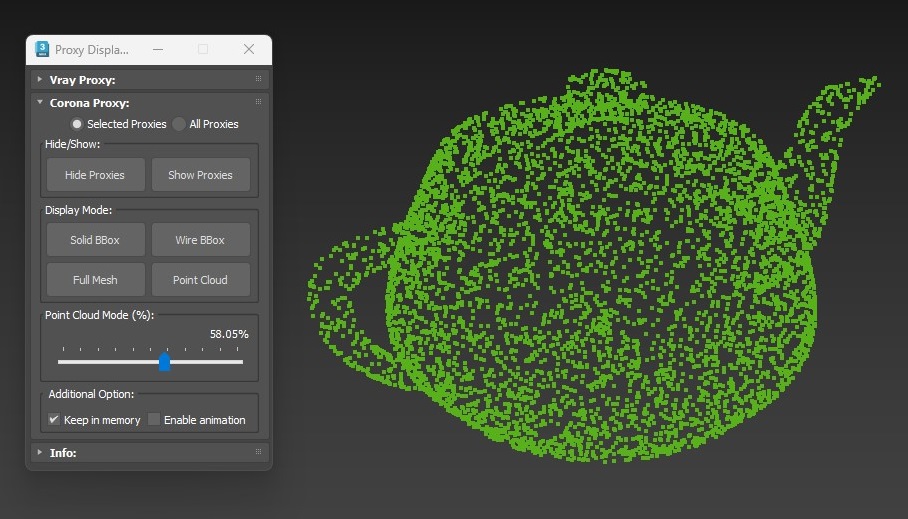
Proxy Display Manager is a lightweight MaxScript tool designed to help archviz artists efficiently manage the viewport display modes of proxy objects in Autodesk 3ds Max.
When working with heavy scenes containing dozens or hundreds of V-Ray or Corona proxies, manually adjusting proxy display settings can be time-consuming and repetitive. Proxy Display Manager streamlines this process by providing a centralized, easy-to-use interface to control how proxies are displayed in the viewport — saving time and keeping your scene responsive.
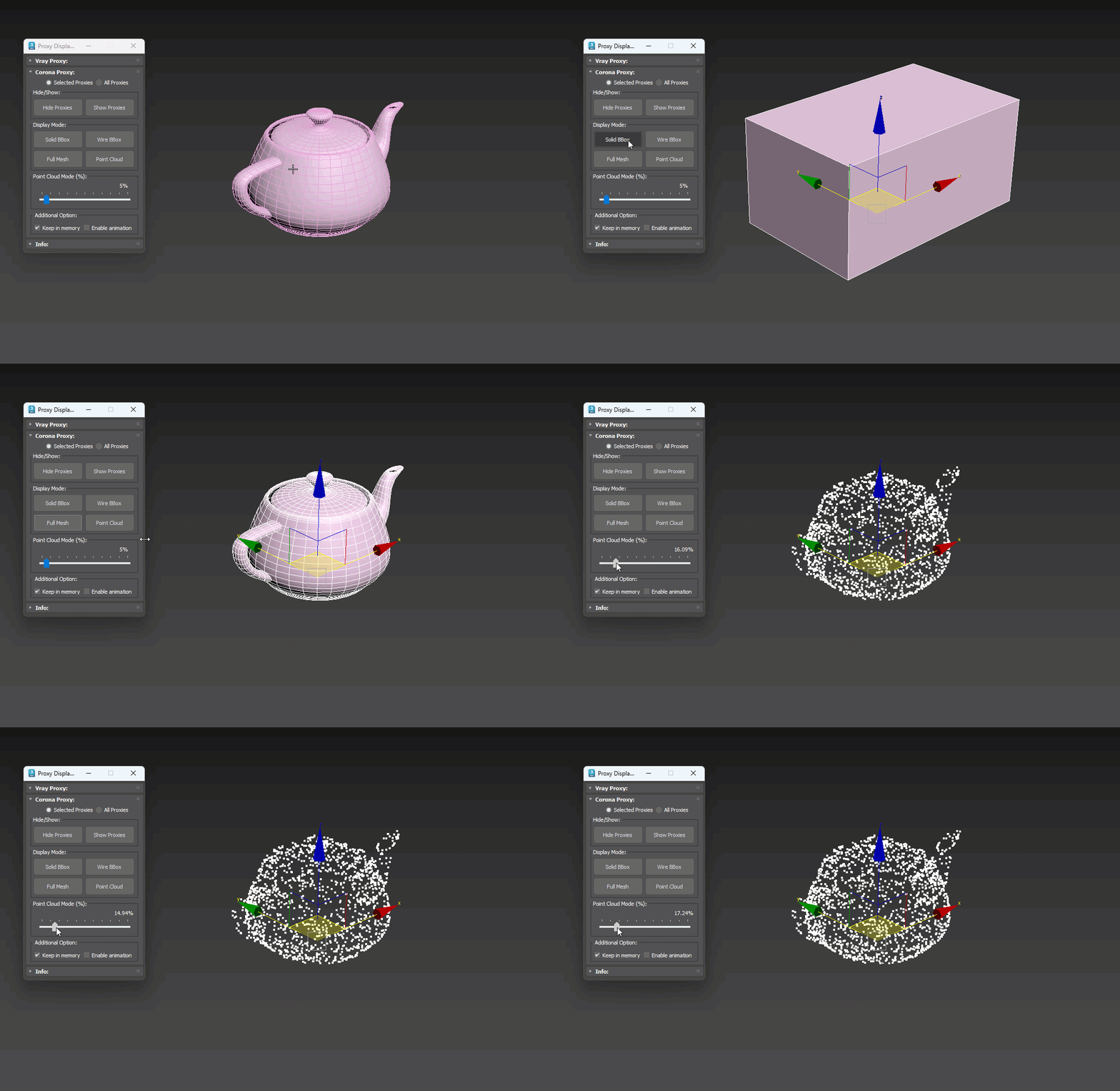
Key Features:
- Control viewport display modes for V-Ray Proxy and Corona Proxy
- Apply display settings to selected proxies or all proxies in the scene
- Quickly switch between common display modes
- Improve viewport performance when working with heavy scenes
- Simple, clean UI designed for daily archviz workflows
Why Use Proxy Display Manager?
- Eliminates repetitive manual adjustments in object properties
- Reduces viewport lag by quickly switching proxy display modes
- Helps maintain smooth navigation in large, complex scenes
- Ideal for archviz, interior, exterior, and large-scale visualization projects
Proxy Display Manager is built to be fast, stable, and practical, focusing on real production needs rather than unnecessary complexity.
It is an essential utility for anyone working with proxy-heavy scenes in 3ds Max.
—
© ArchvizTools
