Free 3dsMax script released – Selection Filter Hotkeys v1.0 | ArchvizTools
In complex 3D scenes, constantly switching Selection Filters using the UI can slow down your workflow.
Selection Filter Hotkeys lets you instantly change Selection Filters using keyboard shortcuts — keeping your focus on modeling, not menus.
.: Compatible with 3dsMax 2018 and higher
.: Version: 1.0
.: Free to download and use for any project
How to install:
- In 3dsMax, go to Scripting >> Run Script… >> Select Selection Filter.ms
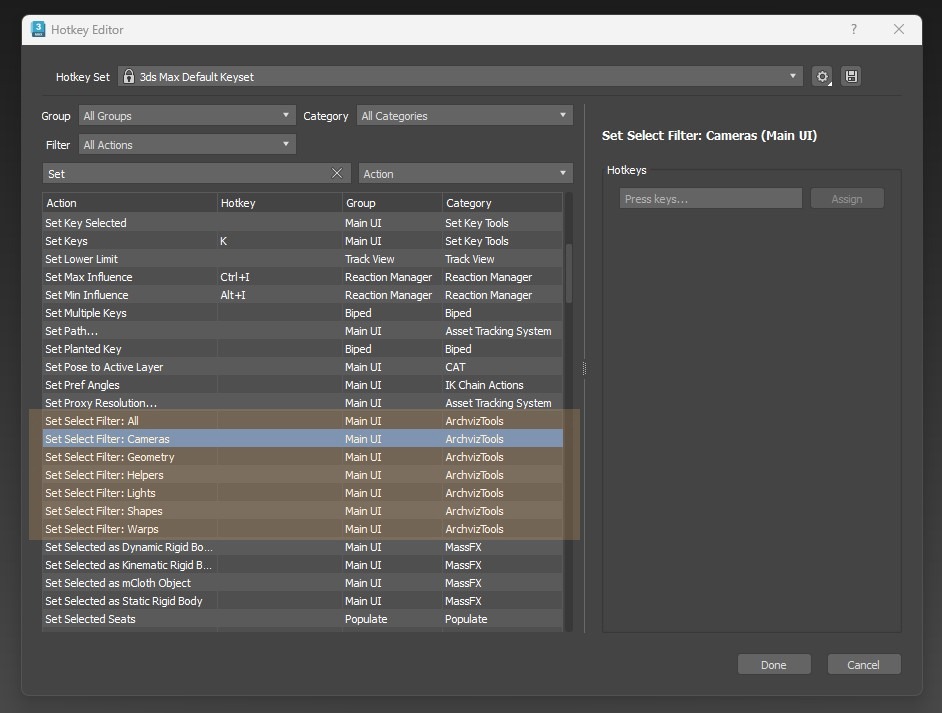
- Go to Customize >> Hotkey Editor (Category: ArchvizTools)
- Set hotkeys