
Spline Cleaner 2 for 3ds Max | Find and Fix Spline Errors
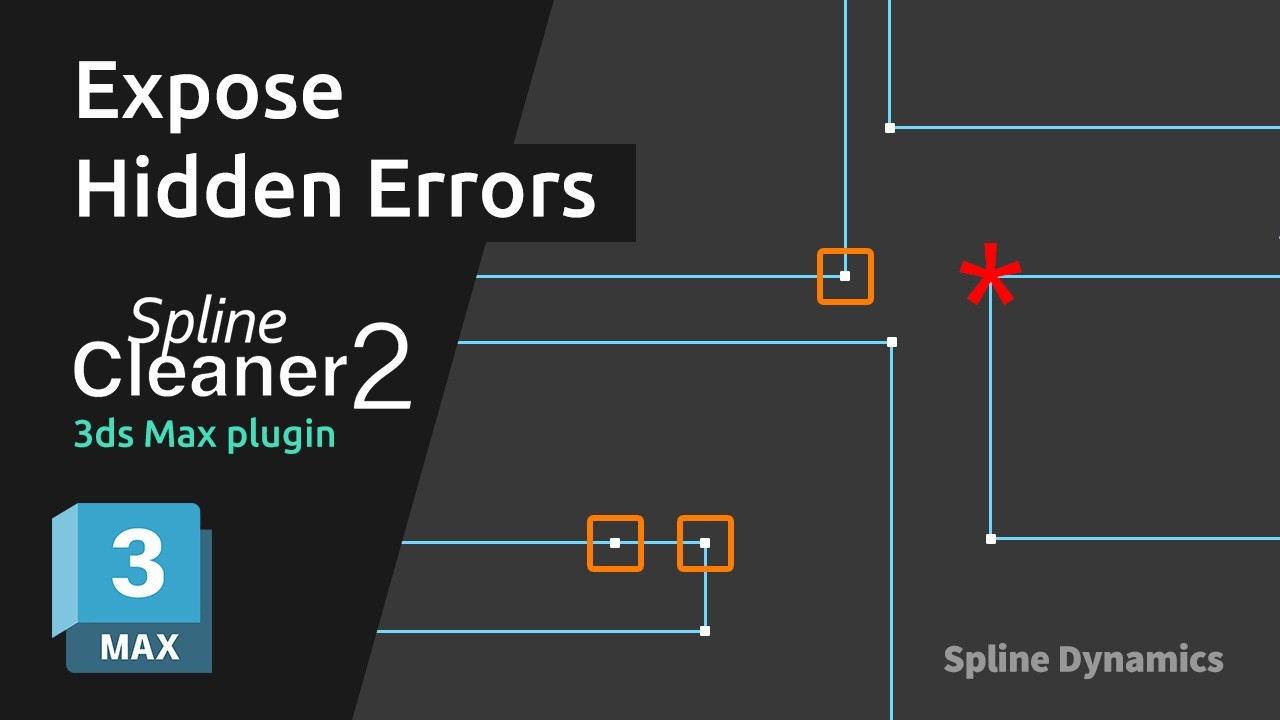
An Extrude that won’t work. A CAD outline that won’t close. A spline error you can’t seem to find.
Spline Cleaner 2 for 3ds Max helps you spot spline problems and fix them faster.
The new Expose tools highlight loose ends and overlapping vertices directly in the viewport, showing you where to look instead of inspecting vertices one by one. Improved overlap detection and repair tools help you clean up problem areas and get your splines ready for production.
What’s new in Spline Cleaner 2:
- Redesigned Interface: A completely revamped UI organized into tabs for easier access to tools.
- Expose Loose Ends: Highlight disconnected endpoints of open splines directly in the viewport.
- Expose Overlapping Vertices: Identify overlapping vertices within each spline, without false positives from vertices on other splines.
- Better Overlap Detection & Repair: More accurate detection and removal of overlapping splines.
- Adjustable Markers: Choose small, medium or large markers and customize their colors.